
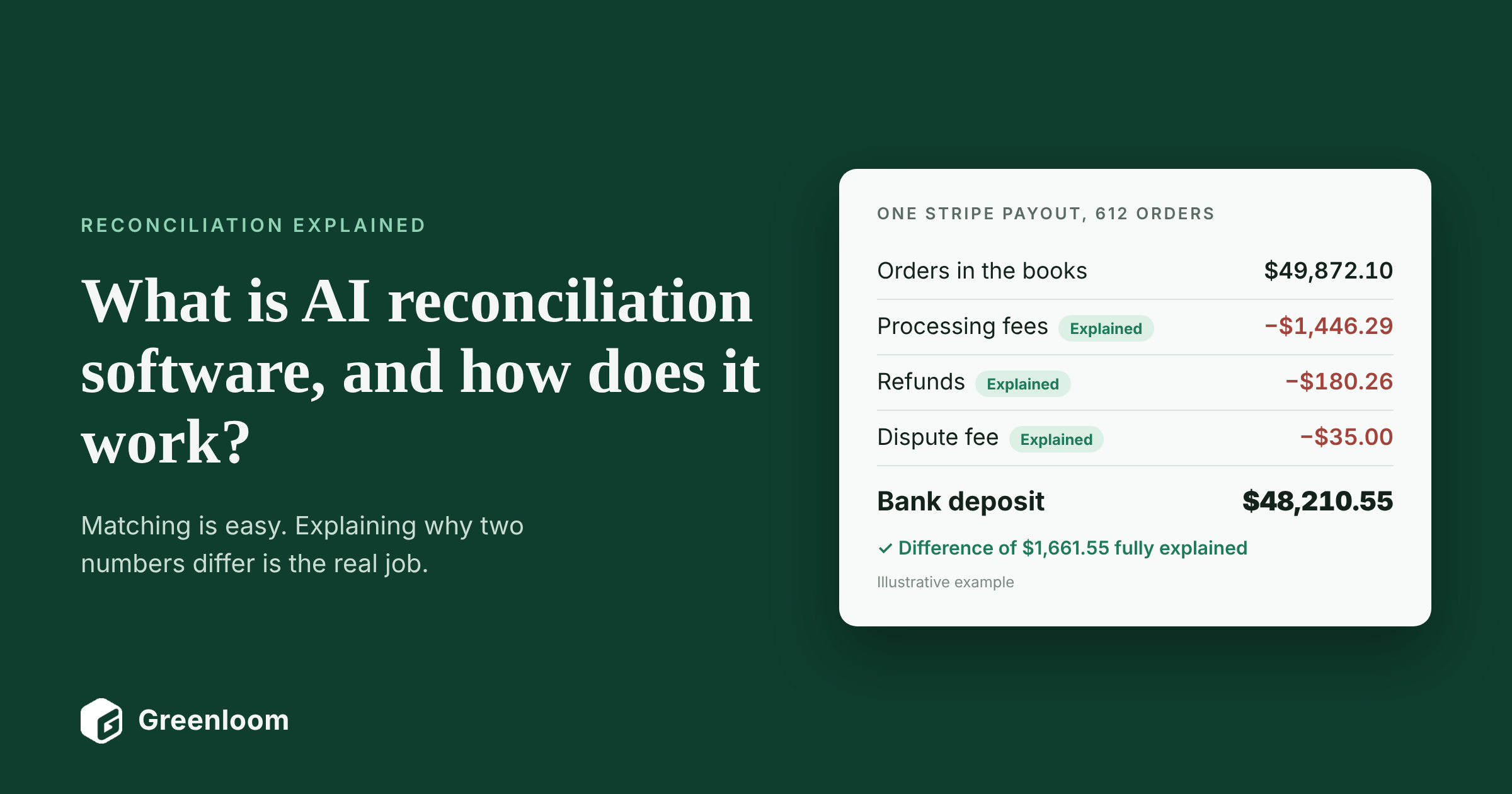
Most reconciliation tools can pair a $500 invoice with a $500 payment. Far fewer can tell you why a $48,210.55 Stripe payout doesn't equal the 612 orders inside it. That second job, working out why two records differ, is what AI reconciliation software is built for.
This guide explains what AI reconciliation software is, how it works step by step, what it can and cannot do, whether it is safe enough for your auditor, and how to evaluate it before you buy. It is written for controllers, accounting managers and CFOs who are weighing whether to automate reconciliation and who have heard enough vendor claims to be skeptical. Greenloom builds AI reconciliation software, and this guide draws on that work: the product was built on more than 2,400 real-world mismatches from finance teams.
AI reconciliation software definition
AI reconciliation software compares your books with bank, payment processor and marketplace records, matches the transactions that clearly correspond using rules, and then uses AI to investigate the ones that don't, either finding a supported reason for each difference or flagging it as an exception for a person to review.
Key takeaways
- It works in two layers: rules match the clean pairs, and AI investigates what the rules leave behind.
- The AI's real job is explaining differences (fees, refunds, chargebacks, timing, missing references), not just matching faster.
- Good AI reconciliation never guesses. No evidence means no explanation, and the item stays open for a person.
- Every decision is logged, so an auditor can see what matched, why, and who approved it.
- You don't need to replace your ERP. The software runs alongside it and posts only approved entries back.
In this guide
- What is AI reconciliation software?
- How does AI reconciliation software work?
- What does AI reconciliation look like on a real payout?
- What can AI reconciliation do that rules-based matching struggles with?
- What should AI reconciliation software not do?
- Is AI reconciliation safe and auditable?
- Who needs AI reconciliation software?
- How does AI reconciliation software compare with other options?
- How do you evaluate AI reconciliation software?
- How do you roll out AI reconciliation software?
- How does Greenloom's AI reconciliation software work?
- What do common AI reconciliation terms mean?
- Frequently asked questions about AI reconciliation software
- Sources
What is AI reconciliation software?
AI reconciliation software is a tool that automates financial reconciliation, the work of comparing two records of the same money and explaining every difference, by combining rules-based matching with AI that investigates the transactions the rules cannot pair. If you need a refresher on reconciliation itself, start with our guide to what financial reconciliation is.
Finance teams are already moving this way. In Gartner's 2025 survey of 183 finance leaders, 59% said they use AI in their finance function, and error and anomaly detection was one of the top three use cases.
What does the "AI" in AI reconciliation actually do?
Less than some vendors claim, and more than spreadsheets can. In practice the AI does four jobs:
- Reads messy data. It makes sense of bank memo lines, payout files and references that don't follow a clean format.
- Finds matches rules miss. It connects one deposit to many sales, one payment to several invoices, or a payment that arrived in a different month.
- Explains differences. It checks settlement reports, fee schedules and refund records to find a supported reason why two amounts differ.
- Sorts what is left. It separates differences it can explain from true exceptions, and sends only the exceptions to a person.
The matching itself is still mostly rules-based, and that is a good thing. Rules are predictable and easy to audit. The AI earns its place in jobs 3 and 4, where a person used to spend hours.
How is AI reconciliation different from traditional reconciliation software?
Traditional (rules-based) reconciliation software | AI reconciliation software | |
|---|---|---|
How it matches | Pairs records when defined fields agree: amount, date, reference | Uses the same rules first, then looks for matches the rules missed |
What happens to a mismatch | Flagged as an exception for a person | Investigated for a supported reason before it reaches a person |
Net payouts ($980 against $1,000) | Fails the rule every time | Checks the settlement file for the fee, refund or tax behind the gap |
Payments with no reference | Usually unmatched | Matched on customer, date and amount where the evidence supports it |
Setup | Someone writes and maintains a rule for each case | Fewer hand-written rules; the investigation layer covers the variation |
What your team receives | A long exception list | A short list of real exceptions, each with the evidence attached |
Is AI reconciliation the same as automated reconciliation?
No. Automated reconciliation usually means rules-based matching: software that pairs records automatically when fields agree. AI reconciliation adds a second layer that investigates what the rules could not match. Many tools labeled "AI-powered" are rules-based matching with a new name, so ask any vendor to show you exactly what their AI does with a transaction that doesn't match.
Term | What it means in reconciliation |
|---|---|
Machine learning | Learns patterns from past matches, such as which customer usually pays which kind of invoice, to suggest new matches |
Generative AI (large language models) | Reads unstructured text such as bank memo lines, remittance emails and payout descriptions, and summarizes why a difference exists |
AI agent | Carries out a multi-step investigation on its own, such as pulling the settlement file, checking the fee schedule and testing a refund, then reports what it found |
The label matters less than the behavior. Whatever the AI is called, it should show the evidence for every match and explanation, and it should hand anything it cannot prove to a person.
What does AI reconciliation look like on a real payout?
On a real payout, AI reconciliation software breaks the deposit into its parts, explains each deduction with evidence, and leaves only the unexplained remainder for a person. Here is one card-processor payout at a US e-commerce brand, investigated that way. The figures are illustrative, but the pattern is the one controllers see every week.
The books show $50,000.00 in sales across 612 orders. The bank shows one deposit of $48,210.55. Rules-based matching finds no pair, because nothing in the books equals $48,210.55. A person would now open the settlement file and start working through it line by line. The AI does that work first:
What the AI checks | Amount | Evidence found | Outcome |
|---|---|---|---|
Sales recorded in the books | $50,000.00 | 612 orders in the ERP | Starting point |
Processing fees | −$1,633.60 | Settlement report lines, in line with the agreed rate | Reconciled with a reason |
Refund on an order from an earlier payout | −$120.00 | Refund record netted in this settlement file | Reconciled with a reason |
Remaining difference | −$35.85 | Nothing in the available records explains it | Exception for a person |
Deposit received | $48,210.55 | Bank statement | Matched to the payout |
What does the controller actually see?
Instead of a $1,789.45 mystery, the controller sees one exception of $35.85, with the settlement file, the fee lines and the refund already attached. It might be a dispute fee, a processor error or a missing entry. Either way, it is a small, specific question instead of an afternoon of work.
Notice what the software did not do. It didn't decide the last $35.85 was "probably another fee" and close it. Without evidence, it leaves the item open. That is the line between AI that helps an audit and AI that hides problems from one.
See this on your own payouts.
Bring one month of bank and payout statements. In a 30-minute call, Greenloom reconciles it live and shows you what matched, what was explained, and what is left. Then use it free for 20 days. No card needed.
Reconcile my worst month live →
What can AI reconciliation do that rules-based matching struggles with?
AI reconciliation is most useful wherever the hard part is working out what a payment actually is, before it can be matched. These are the situations where rules alone break down:
Situation | Why rules struggle | What AI reconciliation does |
|---|---|---|
Net payouts | The deposit is the sale minus fees, commissions and refunds, so no amount matches | Breaks the payout into its parts using the settlement file and explains each deduction |
Missing or meaningless references | The bank line has an amount and a date but no invoice number | Matches on customer, date and amount where the evidence supports it |
One deposit, many sales (and the reverse) | Rules expect one-to-one pairs | Groups records into one-to-many and many-to-many matches |
Money in the wrong month | Matching that only looks at the current period never finds it | Searches open items across periods |
Fees that drift from your contract | Rules only check that a fee exists, not whether it is right | Compares each deduction with the rate you agreed and flags anything above it |
Duplicates, late and split payouts | Each needs its own hand-written rule | Holds them and says why: duplicate reference, late arrival, split across two batches |
Money in and money out on one feed | A line can't be assumed to belong to receivables or payables | Works out which side each line belongs to before matching |
Even ERP vendors are adding this layer. Microsoft's Copilot for Business Central, for example, looks at bank lines the built-in rules left unmatched and suggests matches, including one bank line against several invoices. Dedicated AI reconciliation software goes further on processor and marketplace payouts, which is where most of the unexplained differences come from.
What should AI reconciliation software not do?
AI reconciliation software should not guess, should not post to your ledger without approval, and should not replace the person who signs off. The best tools are clear about these limits, and you should be wary of any that aren't.
- It should not invent explanations. If no settlement line, fee schedule or refund record supports a reason, the difference stays open. A tool that writes off gaps as "probably fees" hides overcharges and errors.
- It should not post on its own. Matches and explanations are proposals. A named person approves them before anything reaches the general ledger.
- It should not replace judgment. Write-offs, disputes with a processor, accounting policy calls and anything new or unusual belong to people.
- It should not be a black box. Every match and every explanation should come with the evidence behind it, so a reviewer can check it in seconds.
What are the risks of using AI for reconciliation?
The main risks are wrong matches, bad source data and over-trust. Even Microsoft notes that its Copilot reconciliation suggestions can sometimes be incorrect or incomplete, which is why a person reviews them before anything is saved. The practical safeguards are the same ones a good controller already uses:
- Evidence on every decision, so a wrong match is easy to spot.
- An approval queue, so nothing posts without a yes.
- Written tolerances, so the software knows what size of difference it may ignore.
- Periodic sampling of reconciled items, especially in the first months.
For a wider framework, the US National Institute of Standards and Technology publishes a voluntary AI Risk Management Framework that many companies use to assess AI tools before rollout.
Is AI reconciliation safe and auditable?
AI reconciliation is safe and auditable when every match traces back to source evidence, a named person approves what posts, and the full trail can be handed to an auditor. Auditors do not care which tool produced a number. They care what supports it and who checked it.
That expectation is getting more explicit. For US public companies, Section 404 of the Sarbanes-Oxley Act requires management to maintain and assess internal control over financial reporting. And in 2024 the PCAOB updated its audit standards on technology-assisted analysis, effective for fiscal years beginning on or after December 15, 2025, which puts more weight on whether the electronic information behind the numbers is reliable.
What will your auditor ask about AI reconciliation?
What the auditor asks | What the software should show |
|---|---|
What supports this match? | The source lines on both sides: ledger entry, bank line, settlement row |
Why were these two amounts accepted as agreeing? | The named reason (fee, refund, tax, timing) and the record that proves it |
What is still unresolved? | Every open exception, its age and its owner |
Who approved it, and when? | The approver's name and a timestamp for every posted entry |
Could anything post without review? | No. Proposals sit in a queue until a person approves them |
Has the data been changed since? | A log of edits, reversals and re-approvals |
What data security questions should you ask?
- What access does the AI have? Read access to statements and payout files is normal. Write access to your ledger should go through an approval step.
- Where is our data stored, and is it encrypted? Get the answer in writing, along with any security attestations the vendor holds.
- Is our data used to train models for other customers? Some vendors say no explicitly. Microsoft, for instance, states it doesn't use customer data to train its Copilot models. Ask for the same commitment.
- How long is data kept, and how is it deleted? Check the retention policy against your own.
Who needs AI reconciliation software?
AI reconciliation software is built for finance teams whose money arrives through several channels at once, and whose close is held up by exceptions rather than by the matching itself.
Role | What changes for them |
|---|---|
Controller | Exceptions arrive explained, so the close stops waiting on investigations |
Accountant or finance assistant | Less line-by-line matching and chasing; more reviewing |
Head of accounting or finance operations | A short, owned exception queue instead of a growing backlog |
CFO or VP Finance | Figures that hold up to the board and the auditor, sooner each month |
Treasurer | A current view of real cash across banks and processors |
Finance transformation lead | A measurable automation project that doesn't require replacing the ERP |
Which industries feel the problem most?
- Food and beverage. POS sales, DoorDash, Uber Eats and Grubhub payouts, commissions and tips rarely agree with bank deposits line for line.
- E-commerce. Payment gateways, marketplaces, refunds, chargebacks and net payouts across several sales channels.
- Consumer packaged goods (FMCG/CPG). High volume, several routes to market, and distributor and retailer deductions that arrive weeks after the invoice.
What are the signs you have outgrown manual reconciliation?
- You take money through two or more processors, marketplaces or delivery platforms.
- Someone exports payouts to a spreadsheet every week to work out what is inside them.
- The same small mismatches hold up sign-off at every month end.
- Payments without a usable reference sit in a suspense account.
- Nobody checks processor fees against the rate in your contract.
- Your close takes more than five days, and exceptions are the reason.
How does AI reconciliation software compare with other options?
AI reconciliation software sits alongside your ERP and focuses on the transactions that did not match. The other options put the work somewhere else:
Option | Where the work sits | Best fit when |
|---|---|---|
Spreadsheets | People match and investigate everything by hand | Volume is a few hundred lines a month |
Built-in ERP reconciliation (NetSuite, QuickBooks, Microsoft Dynamics, SAP, Oracle, Odoo) | Matches bank lines to items already in the ledger, increasingly with AI suggestions | Most payments carry a clear reference and few arrive net |
Financial close platforms | The control workflow: proving balances are right and that the right people signed off | The pain is certification and sign-off across many accounts |
AI-native ERPs | Rebuild the general ledger itself; adopting one means replacing your ERP | You are replacing your ERP anyway |
AI reconciliation layer, such as Greenloom | Runs alongside the ERP you have and investigates the transactions that did not match | Net payouts, missing references and exceptions pile up every month |
Do I need AI reconciliation software if my ERP already reconciles?
Often, yes. An ERP reconciles what it already knows about. It matches a bank line to an open invoice that exists in the system. It has a harder time with the question that comes first: what is this payment, when the reference is meaningless, the amount is net of deductions, or it arrived two periods late? ERPs keep improving here; we look at one example in what Odoo 20's reconciliation change fixes and what it still can't do.
Keep your ERP. Lose the exception pile.
Greenloom connects to your banks, Stripe, PayPal, Shopify and Amazon, matches every payout to your ERP daily, and sends your team only the exceptions to approve. No ERP changes. Try it free for 20 days on your own data. No card needed.
How do you evaluate AI reconciliation software?
The best way to evaluate AI reconciliation software is to watch it work on your own hardest transactions, not a vendor's clean demo data. Bring three test cases to every demo:
- A net payout. One processor or marketplace deposit that is smaller than the sales inside it.
- A payment with no usable reference. A bank line with an amount, a date and a memo that means nothing.
- A payment from a different month. An invoice from two periods ago, paid this month.
Then ask these questions:
- What exactly does your AI do with a transaction that doesn't match? Look for a specific answer, not "it learns."
- What happens when there is no evidence for an explanation? The right answer is "it stays open for a person."
- Can I see the evidence behind every match? Click into one and check.
- Does anything post to my ledger without approval? It shouldn't.
- Does it work with the ERP I already run? Know the switching cost before you fall for a feature.
- Which of my payment sources can it read on day one? Banks, processors, marketplaces, delivery apps and uploaded files.
- Does it check fees against my contract rates? Or only that a fee exists?
- How is our data stored, accessed and used? Get it in writing.
- How fast is setup? Weeks, not quarters.
- How is it priced at next year's volume? Per transaction, per seat or flat.
What are the red flags?
- Match rates quoted without saying how they are measured.
- "Autonomous" or "no human needed" claims for posting to the ledger.
- Demos that only use the vendor's own sample data.
- No clear answer on where your data goes or who can see it.
How do you roll out AI reconciliation software?
Roll it out narrow first: one entity and one or two payment sources, tested against a month you have already closed, before you trust it with a live close.
- Pick the noisiest source. Start where the hours go today, usually a card processor or marketplace.
- Load a month you've already closed. Compare the software's result with what your team concluded by hand.
- Set tolerances and approvers. Write down what size of difference is immaterial, and who approves which entries.
- Run one close in parallel. Let the software reconcile alongside your existing process, and review every difference between the two.
- Switch over and expand. Once the results agree, move that source over and add the next one.
How do you measure whether it is working?
Track the same handful of numbers before and after. Set your own baseline from the last few closes rather than relying on vendor averages.
Measure | What it tells you |
|---|---|
Days to close | Whether exceptions have stopped holding up sign-off |
Share of transactions matched by rules | How much routine work is now automatic |
Share of differences explained with evidence | Whether the AI layer is doing real work |
Open exceptions and their age | Whether the queue is shrinking or just moving |
Hours spent on reconciliation each month | The time your team gets back |
Fee discrepancies found | Money recovered from processors and marketplaces |
How does Greenloom's AI reconciliation software work?
Greenloom is AI reconciliation software for finance teams. It works as a reconciliation layer alongside the ERP you already run: it matches your bank, payment gateway and marketplace payouts to your ERP every day, investigates the transactions that don't match, and sends your team only the exceptions that need a decision. It is used by 45 finance teams and was built on more than 2,400 real-world mismatches.
- Connect. Banks, Stripe, PayPal, Shopify and Amazon. You can upload statements on day one. No ERP changes.
- Match and investigate. Every transaction is matched to its invoice or payout, with the difference named: which fee took what, which refund was netted, which payout came in late or was split across two batches.
- Approve and post. Your team clears a short queue. Only approved entries post to your ERP.
What Greenloom does
- Reconciles every day, across every transaction, not a sample.
- Breaks a short payout into its parts: processing fees, withholding tax, bank charges, FX movement and refunds.
- Flags a fee that is above the rate you agreed, or that isn't on your rate card.
- Matches payments with no reference, using customer, date and amount.
- Holds duplicates, late payouts and split payouts, and tells you why.
- Keeps a live audit trail of what matched, what was held, who approved it and when.
- Charges one flat monthly fee.
What Greenloom does not do
- It does not replace your ERP or your general ledger.
- It does not post a journal entry without a yes from your team.
- It does not assume a fee exists just because two amounts differ. No evidence, no explanation; the item stays open for a person.
- It does not replace your controller's judgment or your auditor's review. It gives both of them the working.
Bring your worst month. We'll reconcile it live.
Book a 30-minute call. We load one month of your bank and payout statements, and you see what matches, what doesn't, and why. Then use Greenloom free for 20 days on your own data. No card needed, and we reply within one business day.
What do common AI reconciliation terms mean?
Term | Plain-English meaning |
|---|---|
AI reconciliation | Reconciliation that uses rules to match clean pairs and AI to investigate the rest. |
Approval queue | The list of proposed matches and explanations waiting for a person to approve. |
Audit trail | A record of what was done, when, on what evidence, and who approved it. |
Deterministic matching | Rules-based matching: if these fields agree, pair these records. |
Exception | An unmatched record that the evidence does not explain. It needs a person. |
Many-to-many match | Several records on one side matched to several on the other, common with batched payouts. |
Net payout | What a processor or marketplace actually pays you after fees, refunds and other deductions. |
One-to-many match | One deposit matched to many sales, or one payment to several invoices. |
Reconciled with an explanation | Two amounts differ, but a supported reason (a fee, refund or tax) is recorded and accepted. |
Settlement report | The provider's breakdown of what is inside a payout and what was deducted. |
Suspense account | Where money sits when nobody yet knows what it relates to. |
Tolerance band | A small difference the process is allowed to ignore as immaterial. |
Unapplied cash | Money received that hasn't been matched to an invoice or a source. |
Frequently asked questions about AI reconciliation software
What is AI reconciliation in simple terms?
AI reconciliation is software that checks your books against bank and payout records. Rules match the transactions that clearly agree, and AI investigates the ones that don't, finding a supported reason for each difference or passing it to a person.
How does AI reconciliation software work?
It pulls in your ledger, bank and payout data, puts it into one format, matches clean pairs with rules, and uses AI to investigate what is left. Each difference is either reconciled with a recorded reason or kept open as an exception, and every step is logged.
Is AI reconciliation accurate?
It is as accurate as its evidence. Rules-based matching is predictable, and AI explanations should always cite the settlement line or record behind them. Check accuracy yourself by testing a month you have already closed and sampling reconciled items.
What is the difference between automated reconciliation and AI reconciliation?
Automated reconciliation usually means rules-based matching that pairs records when fields agree. AI reconciliation adds a layer that investigates the records the rules could not pair and explains the difference with evidence.
Can AI reconciliation replace accountants?
No. It replaces the line-by-line matching and much of the investigation. People still approve entries, handle disputes and write-offs, make policy calls, and sign off the close.
Is AI reconciliation software SOX compliant?
Software is not SOX compliant on its own; your controls are. Good AI reconciliation software supports those controls with evidence on every match, an approval step before posting, and a complete audit trail your auditor can review.
Does AI reconciliation work with my existing ERP?
It should. A reconciliation layer such as Greenloom runs alongside the ERP you already use, pulls data from your banks and payment providers, and posts only approved entries back. Ask any vendor which of your systems it connects to on day one.
How long does it take to implement AI reconciliation software?
It depends on how many sources you connect. Start with one payment source and a month you have already closed, so you can compare results quickly. Greenloom can load a month of statements during a 30-minute call.
How much does AI reconciliation software cost?
Vendors price per transaction, per user or as a flat fee. Model the cost at next year's transaction volume, not this year's. Greenloom charges one flat monthly fee and offers a 20-day free trial on your own data.
Is my financial data safe with AI reconciliation software?
Ask each vendor what access the AI has, where data is stored, whether it is encrypted, whether it is used to train models for other customers, and how long it is kept. Get the answers in writing before you connect live data.
About the author
Siddika Shaikh is CEO and Co-founder of Greenloom, AI reconciliation software that matches bank, gateway and marketplace payouts to a company's ERP every day and sends finance teams only the exceptions. More articles by Siddika
Sources
- Gartner, Gartner Survey Shows Finance AI Adoption Remains Steady in 2025
- PCAOB, PCAOB Updates Its Standards to Clarify Auditor Responsibilities When Using Technology-Assisted Analysis
- U.S. Securities and Exchange Commission, Sarbanes-Oxley Section 404: A Guide for Small Business
- National Institute of Standards and Technology, AI Risk Management Framework
- Microsoft Learn, FAQ for bank account reconciliation assist with Copilot
Updated
Comments
Join the conversation and share your thoughts with the community.
Community
Be the first to share your perspective.